Migrate to State 430
See which slots are open in each tier, then apply with your current state, player ID and a profile screenshot. Officers review every application and contact you in game.

Open slots by tier
Tiers are set by migration score. Ranges marked Unconfirmed can change before the window. Applicant counts include only applications an officer has placed in a tier.
Apply
Your reference code:
Save this code now. It is the only way to check your status or request withdrawal, and it cannot be recovered.
What to send
Send a screenshot of your My Profile screen. It must show your name, power, alliance and state. Do not crop it.
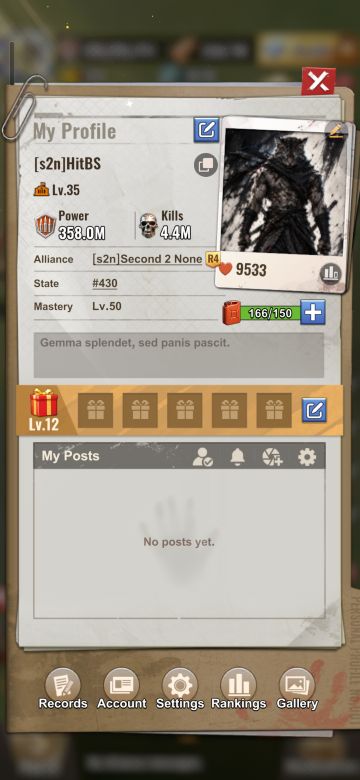
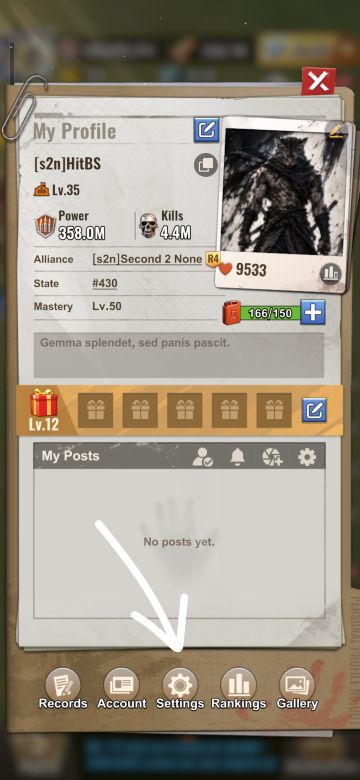
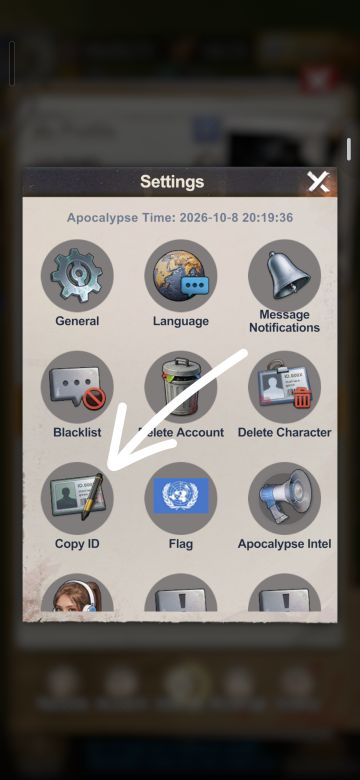
Officers place you in a tier using your migration score. You may be able to check your estimated migration score in game before applying.
Check status
Request withdrawal
An officer reviews withdrawal requests. Your application stays active until an officer approves it.